Connection Thunderbolt 5
Displays Up to 4
Power 140W PD
Driver Native
This page contains affiliate links. We may earn a commission at no extra cost to you. Read our affiliate disclosure.
 By Adrian Cel
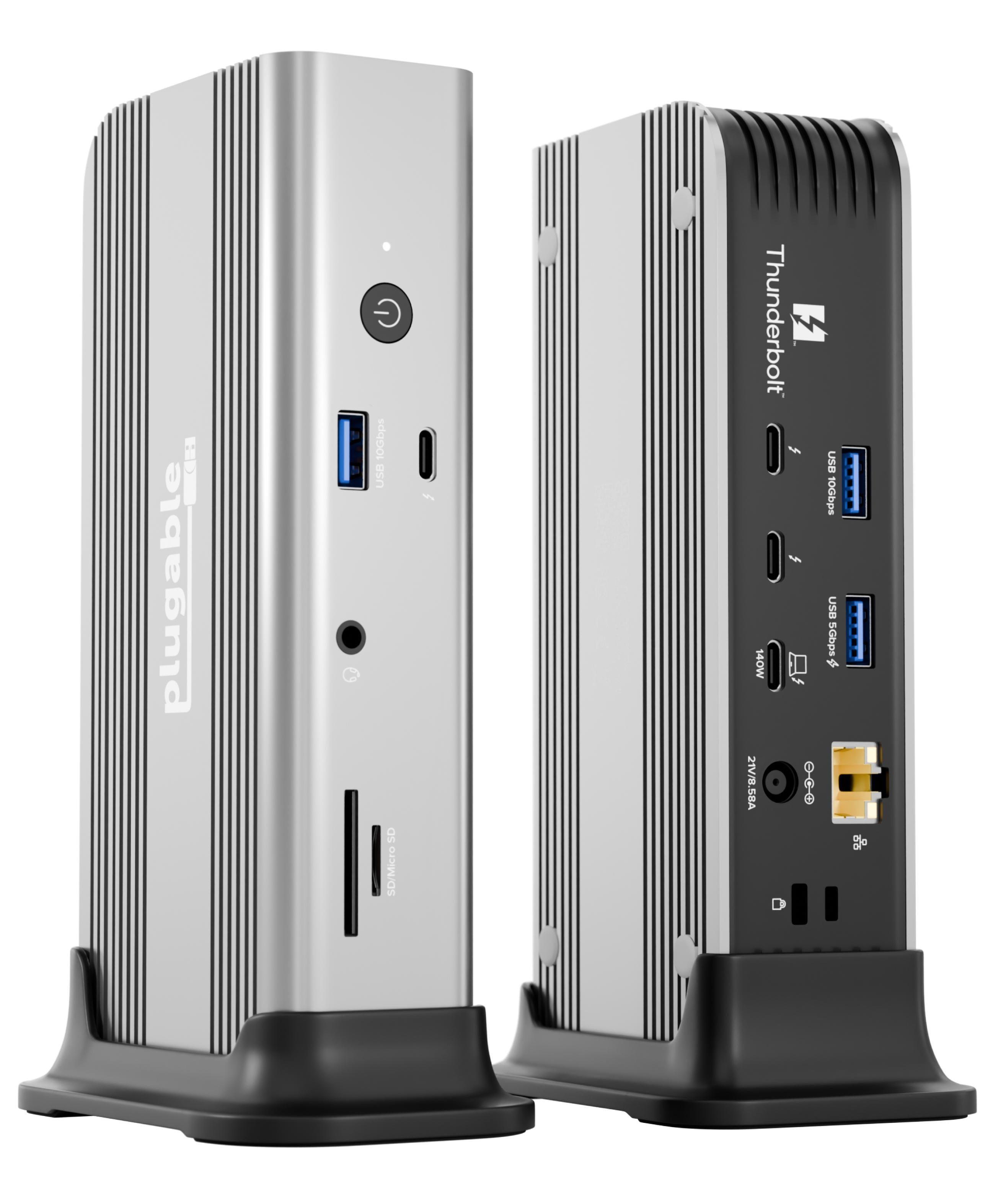
The CalDigit TS5 Plus is CalDigit's full-size Thunderbolt 5 dock for people who have outgrown the TS4 and want more than the smaller TS5 offers. It has 20 ports: one Thunderbolt 5 host port, two downstream Thunderbolt 5 ports, five USB-C 10 Gbps ports, five USB-A 10 Gbps ports, DisplayPort 2.1, 10 Gigabit Ethernet, UHS-II SD and microSD card readers, three audio jacks, and DC power input. Host charging goes up to 140W from the included 330W power supply, while the two downstream Thunderbolt 5 ports and one front USB-C port can each provide up to 36W for accessories. CalDigit also gives the TS5 Plus dual USB controllers, which matters if you move data between several 10 Gbps USB drives at the same time. Display support is strong but host-dependent. CalDigit lists dual 4K 240Hz, triple 4K 144Hz on supported Thunderbolt 5 Windows PCs and M5 Pro or M5 Max Macs, and up to four displays on M5 Max. Older base M1, M2, M3, and M4 Macs are still limited by Apple's external display rules, not by the dock. At $499.99, this is not the dock to buy for a simple keyboard, mouse, and one monitor desk. It makes more sense when 10GbE, high-watt accessory charging, fast USB storage, and Thunderbolt 5 display bandwidth are all part of the setup.
Workaround: Choose the regular TS5 if you want Thunderbolt 5 expansion and 140W host charging but do not need 10GbE or the extra fixed ports.
Workaround: Mount or route the power brick behind the desk if possible, and leave room for ventilation.
Workaround: Check that the host has Thunderbolt 5, Thunderbolt 4, USB4 v2, USB4 with PCIe support, or Thunderbolt 3 on Mac before buying.
Workaround: Verify the host computer's native external display support before planning a three or four monitor setup.
Workaround: Download and install the Windows 10GbE driver from CalDigit before relying on the RJ45 port.
| General | |
| Manufacturer | CalDigit |
| Model | TBT5-TS5Plus-US-AMZ |
| Release Date | 2025-04 |
| MSRP | $499.99 |
| Connectivity | |
| Host Connection | Thunderbolt 5 |
| Max Data Rate | 80 Gbps |
| Driver Required | No (native) |
| Display Output | |
| Max Displays | 4 |
| 1x Display | 7680x4320 @ 60Hz (Amazon lists support for up to two 8K 60Hz displays. Single 8K support depends on the host GPU, monitor, cable, adapter, DSC support, and whether the display is connected over Thunderbolt or DisplayPort.) |
| 2x Display | 3840x2160 @ 240Hz (CalDigit lists dual 4K 240Hz on compatible macOS and Windows systems. DisplayPort 2.1 can be used for one monitor, leaving downstream Thunderbolt 5 ports available for other devices.) |
| 3x Display | 3840x2160 @ 144Hz (CalDigit lists triple 4K 144Hz on supported Thunderbolt 5 Windows PCs and on M5 Pro or M5 Max Macs. Thunderbolt 4 hosts and M1 to M4 Pro or Max Macs do not support triple displays through one Thunderbolt dock.) |
| 4x Display | 3840x2160 @ 144Hz (CalDigit lists quad 4K 144Hz on M5 Max. One display must be a daisy-chainable Thunderbolt display. This should not be expected on most Macs or Windows laptops.) |
| Ports (15+ total) | |
| USB-C 4.0 | 2x (36W) |
| USB-C 3.2 | 1x (36W) |
| USB-C 3.2 | 4x (7.5W) |
| USB-A 3.2 | 5x (7.5W) |
| Thunderbolt 5 | 2x |
| DisplayPort 2.1 | 1x |
| Ethernet (RJ45) | 1x 1 Gbps / 2.5 Gbps / 5 Gbps / 10 Gbps |
| Audio (3.5mm-combo) | 1x |
| Audio (3.5mm-headphone) | 1x |
| Audio (3.5mm-microphone) | 1x |
| SD Card Reader | 1x |
| microSD Card Reader | 1x |
| Power | |
| Power Input | DC-barrel |
| Laptop Charging | Up to 140W |
CalDigit lists macOS 15 or above. Display count depends on the Mac model: base M1, M2, M3, and M4 Macs remain limited by Apple's host display support, while M5 Pro and M5 Max can reach higher display counts.
CalDigit lists Windows 11 or above. Thunderbolt 5 Windows PCs can use the highest display modes when the host supports them. Windows users must install the CalDigit 10GbE driver for Ethernet.
CalDigit lists Thunderbolt and USB4 host support generally, but ChromeOS feature support depends on the Chromebook's Thunderbolt, USB4, PCIe, display, and charging capabilities.
CalDigit lists Thunderbolt/USB4 iPad support rather than Android. Android and tablet behavior should be treated as host-dependent unless the device explicitly supports Thunderbolt or full USB4 features.
Not compatible
Not compatible
Limited native external display support
Ethernet and the second USB controller may not work
Outstanding
The CalDigit TS5 Plus is the safest high-end Thunderbolt 5 dock recommendation right now if you know you can use its expensive extras. The 10GbE port alone can replace a separate Thunderbolt network adapter, and the built-in DisplayPort 2.1 output leaves both downstream Thunderbolt 5 ports free for displays, SSDs, capture devices, or other Thunderbolt gear. The USB layout is better than most docks because every USB-A and USB-C data port runs at 10 Gbps, and the dual USB controllers reduce the usual bottleneck when several USB drives are busy at once. The weak points are mostly practical. The 330W power brick is large. The price is steep. Windows users need CalDigit's 10GbE driver. USB-C-only laptops do not work, and Thunderbolt 3 Windows PCs are specifically excluded by CalDigit. Mac users also need to check the host before buying for multiple monitors, because many Apple Silicon Macs cannot drive the display counts CalDigit advertises for newer Pro and Max chips. Reviews from 9to5Mac and StorageReview are positive, especially around port selection, 10GbE, and storage performance. Reddit feedback is more mixed around early Thunderbolt 5 heat, disconnect, and firmware behavior, which is normal for a new dock class but still worth taking seriously. If your desk has a 10GbE NAS, multiple SSDs, and a Thunderbolt 5 Mac or PC, the TS5 Plus earns its price. If you just want Thunderbolt expansion and do not need 10GbE or DisplayPort 2.1, the regular TS5 is cleaner and cheaper.

A spec-based comparison of the CalDigit Element 5 Hub and CalDigit TS5 Plus, covering Thunderbolt 5 ports, charging, displays, 10GbE, USB layout, and value.
A practical CalDigit TS4 vs TS5 Plus comparison covering Thunderbolt generation, ports, display support, charging, 10GbE, compatibility, price, and value.
A spec-backed comparison of the CalDigit TS5 Plus and Anker Prime TB5 Thunderbolt 5 docks, including ports, 10GbE, display limits, charging, Mac support, and value.
A spec-backed comparison of the CalDigit TS5 Plus and Dell SD25TB5 Thunderbolt 5 docks, including 10GbE, 240W charging, display support, Dell fleet features, Mac limits, and value.
A spec-backed comparison of the CalDigit TS5 Plus and Plugable TBT-UDT3 Thunderbolt 5 docks, covering ports, display support, charging, Ethernet, Mac limits, and value.
A detailed comparison of the CalDigit TS5 and CalDigit TS5 Plus Thunderbolt 5 docks, including ports, display support, 10GbE, charging, compatibility, and value.