Connection USB-C
Displays Up to 3
Power 100W PD
Driver Native
This page contains affiliate links. We may earn a commission at no extra cost to you. Read our affiliate disclosure.
 By Adrian Cel
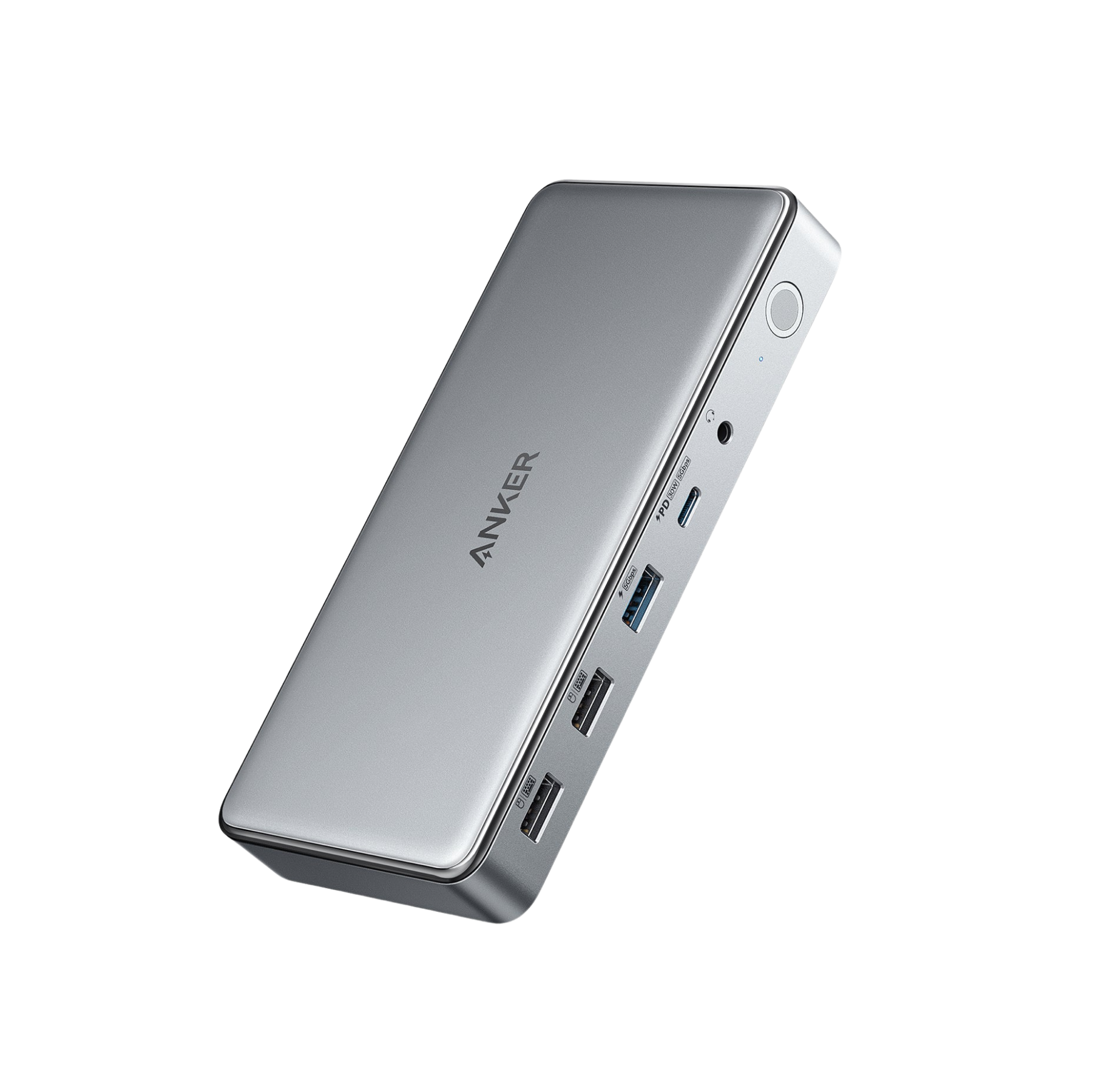
The Anker USB-C Hub (14-in-1, Triple Display), model A8389, is a compact USB-C hub for Windows users who want a lot of desk ports without moving up to a powered Thunderbolt dock. It connects through a built-in USB-C cable, uses a 5Gbps USB 3.2 Gen 1 link, and adds two HDMI outputs, VGA, five USB-A ports, one USB-C data port, Gigabit Ethernet, SD and microSD readers, 3.5mm audio, and a USB-C PD input. The display story is very Windows-focused. One HDMI port can reach 4K@60Hz, the second HDMI reaches 4K@30Hz, and VGA tops out at 1080p@60Hz. In triple-display mode, Anker's own table drops all three external monitors to 1080p@60Hz. macOS works for basic connectivity, but it does not get three independent external desktops through this MST-based hub. Anker says external monitors show identical content on macOS. The other catch is charging. The hub accepts up to 100W from a USB-C charger, keeps about 20W for itself, and passes up to 80W to the laptop. A charger is not included, so the real setup cost is higher if you do not already own a suitable 100W USB-C charger.
Workaround: Use one or two displays for sharper work, or choose a Thunderbolt or DisplayLink dock if you need higher-resolution multi-monitor output.
Workaround: Mac users who need multiple extended displays should use a Thunderbolt dock on Pro or Max chips, or a DisplayLink dock on base Apple Silicon.
Workaround: Pair the hub with a charger at least 20W higher than your laptop's normal charger, as Anker recommends.
Workaround: Connect external SSDs or capture devices directly to the laptop for large transfers.
Workaround: Keep the hub in open air, use a high-quality USB-C PD charger and cable, and avoid covering the aluminum body during long sessions.
| General | |
| Manufacturer | Anker |
| Model | A8389 |
| Release Date | 2023-10 |
| MSRP | $69.99 |
| Connectivity | |
| Host Connection | USB-C |
| Max Data Rate | 5 Gbps |
| Driver Required | No (native) |
| Display Output | |
| Max Displays | 3 |
| 1x Display | 3840x2160 @ 60Hz (Single 4K@60Hz through the primary HDMI port on a capable host. The secondary HDMI is rated up to 4K@30Hz, and VGA is rated up to 1080p@60Hz.) |
| 2x Display | 3840x2160 @ 30Hz (Dual-display combinations can include 4K@30Hz plus 1080p@60Hz, or 4K@30Hz on both HDMI ports depending on host and monitor support.) |
| 3x Display | 1920x1080 @ 60Hz (Anker's Windows table lists triple external displays at 1080p@60Hz across VGA, HDMI 4K@60, and HDMI 4K@30 outputs. macOS mirrors external monitors instead of extending each display independently.) |
| Ports (9+ total) | |
| USB-C 3.2 | 1x |
| USB-A 3.2 | 3x |
| USB-A 2.0 | 2x |
| HDMI 4K@60Hz | 1x |
| HDMI 4K@30Hz | 1x |
| VGA 1080p@60Hz | 1x |
| Ethernet (RJ45) | 1x 1 Gbps |
| Audio (3.5mm-combo) | 1x |
| SD Card Reader | 1x |
| microSD Card Reader | 1x |
| Power | |
| Power Input | USB-C |
| Laptop Charging | Up to 80W |
Best fit. Windows 10 and 11 support independent extended displays when the laptop's USB-C port supports DisplayPort Alt Mode, Power Delivery, and enough graphics outputs.
Supported for basic hub functions, but Anker states that multi-display extended mode is not supported on macOS. External monitors show identical content.
Anker lists compatibility with the newest version of ChromeOS when the host supports USB-C DisplayPort Alt Mode and Power Delivery.
Not supported by Anker
External displays mirror instead of extending independently
No video output
Not compatible
Very Good
The Anker A8389 makes sense as a value hub for Windows laptops with USB-C DisplayPort Alt Mode and Power Delivery. At Anker's $69.99 direct price, it gives you a generous port list, Gigabit Ethernet, card readers, and three video outputs in a small body. That is the appeal. It is not a replacement for a real Thunderbolt dock, and it is not a great Mac multi-monitor solution. Triple display mode is useful for email, chat, dashboards, and office documents, but 1080p across all three monitors feels cramped beside modern 1440p or 4K screens. The 5Gbps host connection also means you should not expect fast external SSD work while driving multiple displays. Amazon feedback is mostly positive at 4.2 stars across more than 1,300 ratings, but the weak spots are consistent: mixed power-delivery experiences, heat during longer sessions, and occasional HDMI or monitor stability complaints. Buy it if you need an inexpensive Windows USB-C hub with lots of ports and can live with 1080p triple displays. Skip it for MacBook extended multi-monitor setups, high-refresh displays, or anything that needs Thunderbolt bandwidth.