Connection USB-C
Displays Up to 3
Power 85W PD
Driver Native
This page contains affiliate links. We may earn a commission at no extra cost to you. Read our affiliate disclosure.
 By Adrian Cel
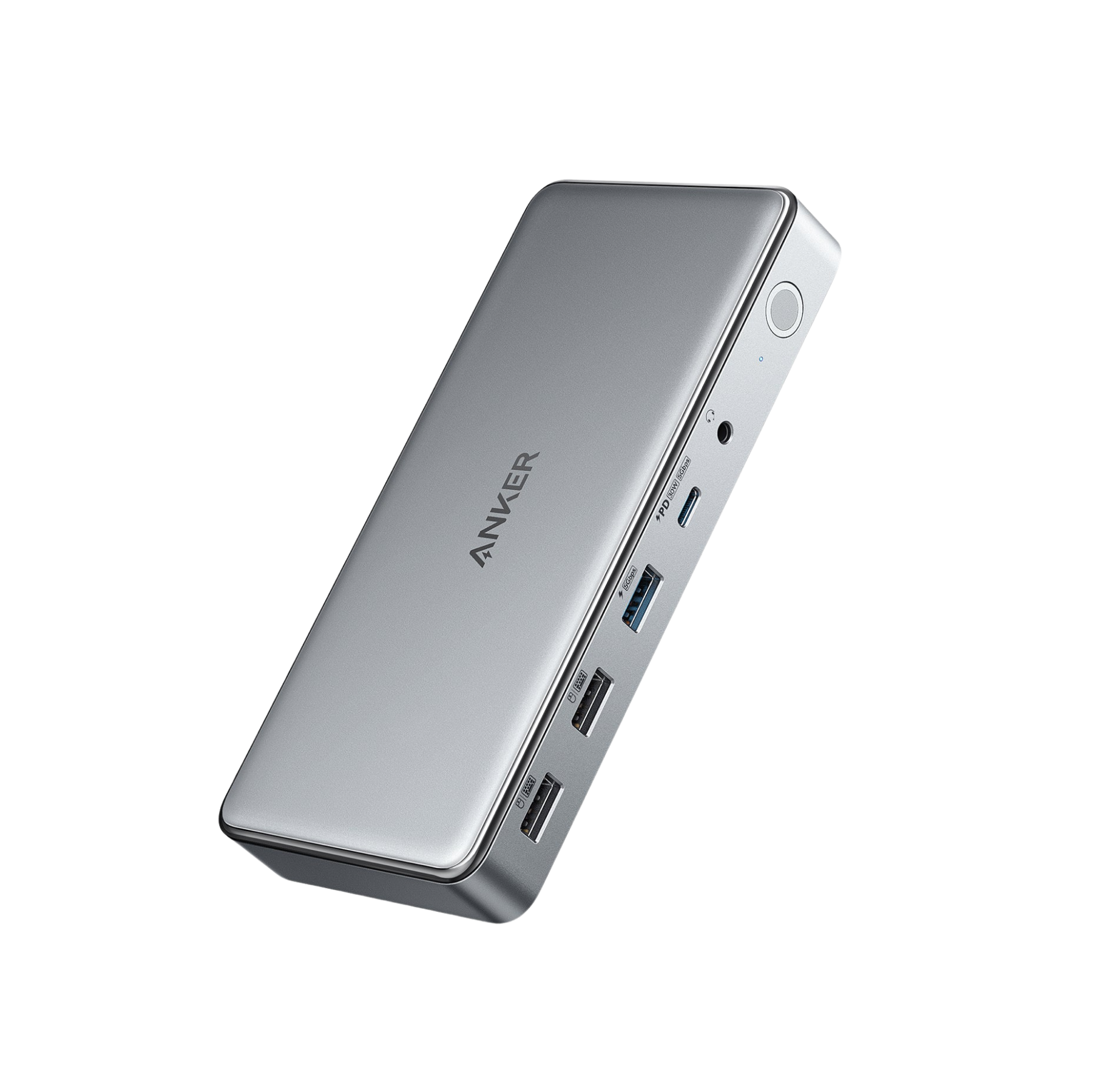
The Anker Nano Docking Station (A83C3) is a 13-in-1 USB-C dock built around one clever idea: the front 6-in-1 hub pops out of the desktop dock and works as a travel hub. At the desk, the full unit gives you a 10Gbps USB-C host link, up to 100W laptop charging, two HDMI outputs, one DisplayPort output, Gigabit Ethernet, two USB-C data ports, three USB-A ports, audio, SD and microSD readers, and a 140W power adapter. Away from the desk, the removable hub keeps the essentials: HDMI, USB-C, USB-A, SD, microSD, and USB-C passthrough charging. The trade-off is bandwidth. This is not a Thunderbolt dock and it does not use DisplayLink. It relies on USB-C DisplayPort Alt Mode and MST, so Windows laptops get the best multi-monitor behavior while macOS is limited to one extended display with the extra monitors mirrored. If you want a compact dock that doubles as a travel hub, the Nano design is genuinely useful. If you want driver-free triple 4K or high-speed storage next to multiple monitors, this 10Gbps USB-C dock is the wrong class of hardware.
Workaround: Mac users who need multiple extended displays should choose Thunderbolt for Pro/Max chips or DisplayLink for base M-series MacBooks.
Workaround: Use one or two monitors for serious work. Choose Thunderbolt 4 or DisplayLink if you need three useful external displays.
Workaround: Use a separate USB-C charger for phones, tablets, or accessories that need more than 7.5W.
Workaround: Use a separate UHS-II reader for large RAW photo or video transfers.
Workaround: Connect fast external SSDs directly to the laptop during large transfers.
| General | |
| Manufacturer | Anker |
| Model | A83C3 |
| Release Date | 2025-11 |
| MSRP | $149.99 |
| Connectivity | |
| Host Connection | USB-C |
| Max Data Rate | 10 Gbps |
| Driver Required | No (native) |
| Display Output | |
| Max Displays | 3 |
| 1x Display | 3840x2160 @ 60Hz (Single 4K@60Hz through HDMI or DisplayPort. The detached hub also provides one HDMI output.) |
| 2x Display | 3840x2160 @ 60Hz (Dual 4K@60Hz is supported when the laptop and monitors support DSC. PCWorld confirmed dual 4K@60Hz on tested USB4 and Thunderbolt 4 laptops.) |
| 3x Display | 1920x1080 @ 60Hz (Triple-display mode is bandwidth-limited on the 10Gbps USB-C link. Fstoppers reported triple monitors at 1600x900@60Hz, below this schema's lowest resolution enum.) |
| Ports (8+ total) | |
| USB-C 3.2 | 2x (7.5W) |
| USB-A 3.2 | 1x (4.5W) |
| USB-A 2.0 | 2x |
| HDMI 2.0 | 2x |
| DisplayPort 1.4 | 1x |
| Ethernet (RJ45) | 1x 1 Gbps |
| Audio (3.5mm-combo) | 1x |
| SD Card Reader | 1x |
| microSD Card Reader | 1x |
| Power | |
| Power Input | DC-barrel |
| Laptop Charging | Up to 100W |
Full extended-display support on USB-C laptops with DisplayPort Alt Mode and Power Delivery. MST is required for multiple independent displays.
Anker lists single extended display behavior on macOS, with additional external monitors mirroring the same content.
Additional displays mirror instead of extending
No video output
Not compatible according to Anker
10Gbps link is too limited
Very Good
The Anker Nano Docking Station is more interesting than another plain 13-port USB-C dock because the detachable hub solves a real desk-and-bag problem. You can leave Ethernet, monitors, keyboard, and power at the desk, then press one button and take a usable 6-in-1 hub with you. That makes it a strong fit for hybrid workers, students, photographers, and anyone who currently owns separate desk and travel hubs. The port mix is sensible for the price: 100W host charging, dual 4K@60Hz support on capable Windows or USB4 hosts, Gigabit Ethernet, two card readers, and enough USB for everyday peripherals. The weak spots are just as clear. The 10Gbps host connection is shared by displays and data, so triple-display mode is for basic office layouts, not sharp 4K work across three screens. macOS users should treat it as a single-extended-display dock because Anker says additional external monitors mirror the same content. PCWorld also measured weak downstream charging from the hub ports, so this is not a front-port phone charger replacement. At $149.99 MSRP, and often lower at launch promos, the Nano Dock is worth buying for the modular design. Buy a Thunderbolt 4 dock instead if your priority is display bandwidth, Mac multi-monitor support, or fast external SSD work.

A practical comparison of the Anker A8389 14-in-1 USB-C Hub and Anker Nano Docking Station, including display limits, charging, ports, Mac behavior, travel use, and value.
A practical comparison of the Anker Nano Docking Station and Plugable UD-MSTH2 for Windows dual monitors, USB-C MST, host charging, Mac limitations, and office desk value.
A practical comparison of the Kensington SD4880P and Anker Nano Docking Station. Compare display support, USB-C bandwidth, charging, ports, Mac limits, desk use, and value.
A practical comparison of the UGREEN Revodok Pro 210 and Anker Nano Docking Station. Compare ports, display limits, charging, Mac behavior, travel use, and value.