Connection Thunderbolt 4
Displays Up to 2
Power 96W PD
Driver Native
This page contains affiliate links. We may earn a commission at no extra cost to you. Read our affiliate disclosure.
 By Adrian Cel
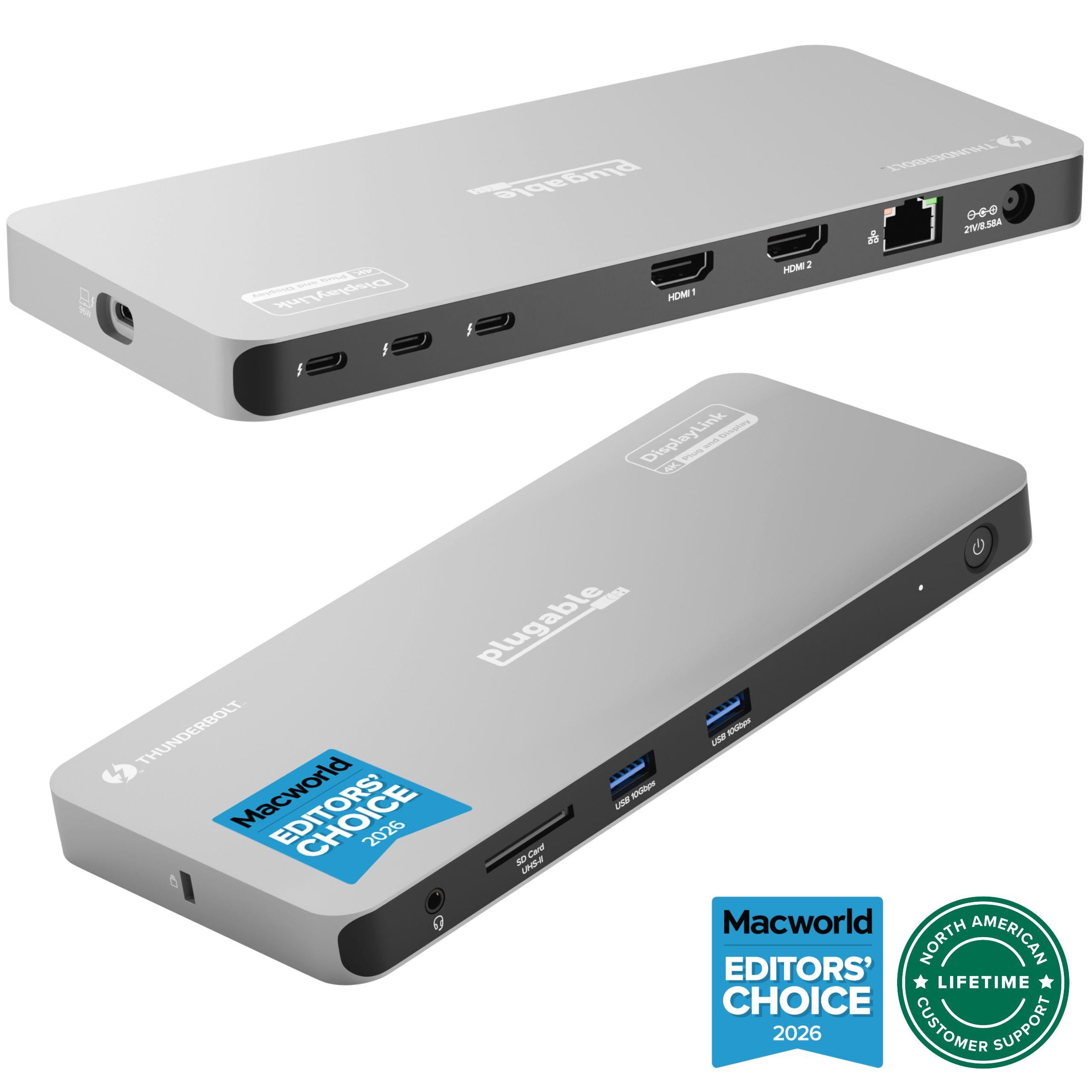
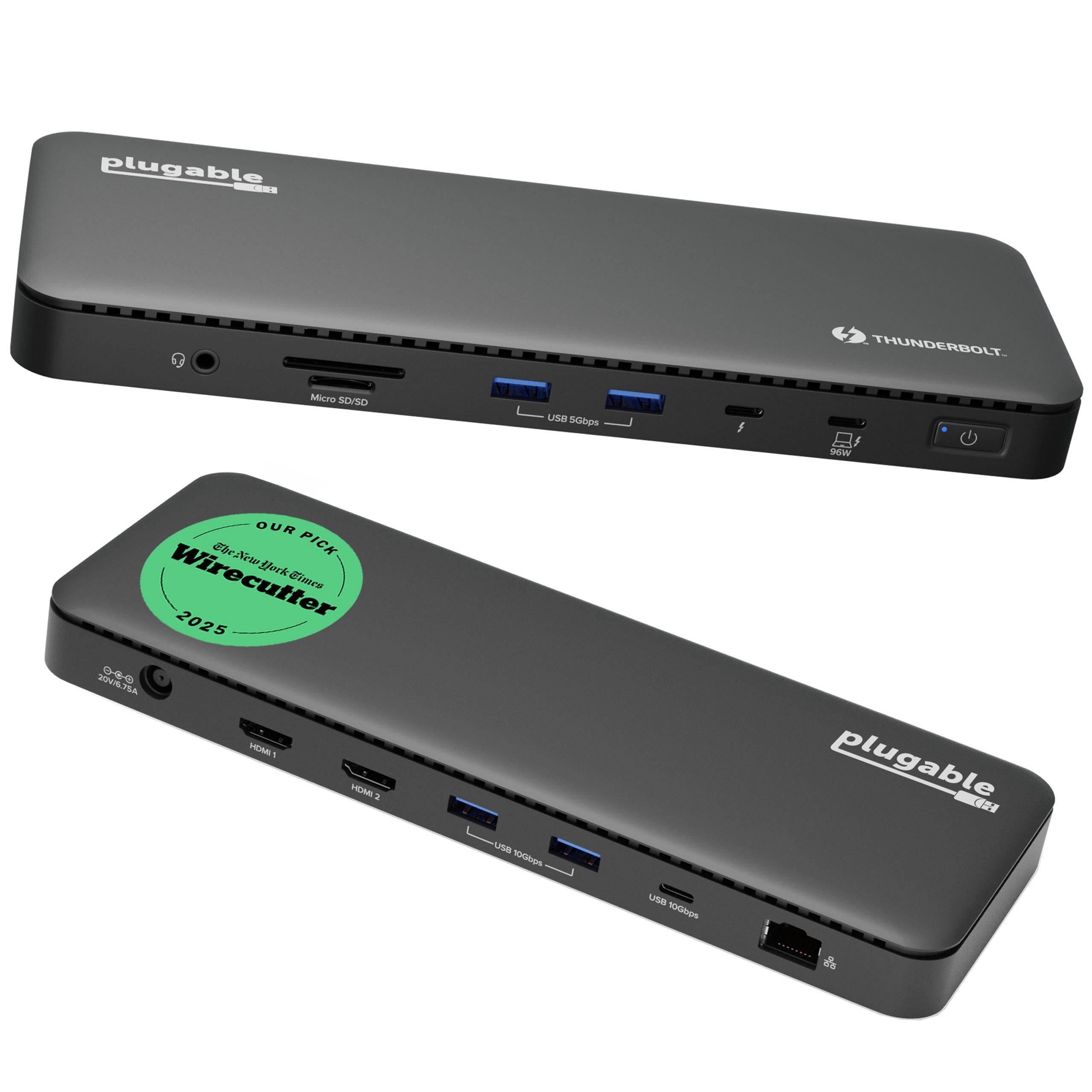
The Plugable TBT-UDM is a 13-port Thunderbolt 4 dock built around the newer MacBook display story. It is aimed at M4 and M5 MacBook Air and Pro owners, plus Pro and Max Apple Silicon Macs, who can run two external displays natively without DisplayLink. The dock connects over Thunderbolt 4 or USB4, supplies up to 96W certified charging, and provides two HDMI 2.0 ports for dual 4K@60Hz monitors. A front downstream Thunderbolt 4 port can handle a USB-C or Thunderbolt display, fast storage, or another Thunderbolt peripheral, with single-display support up to 6K on Mac and 8K on Windows when the host and display chain support it. The rest of the layout is practical: four USB-A ports, one 10Gbps USB-C port, UHS-II SD and microSD readers, Gigabit Ethernet, and a 3.5mm headset jack. It does not use DisplayLink, so there is no display driver to install and no software workaround for base M1 and M2 MacBooks. Those older base-chip Macs remain limited to one external display through this dock.
Workaround: Use a DisplayLink dock such as the Plugable TBT-6950PD or UD-6950PDZ if dual displays are required on a base M1 or M2 MacBook.
Workaround: Use a USB or Thunderbolt 2.5GbE adapter, or choose a dock such as the Plugable TBT-UDT3 or TBT4-UDZ.
Workaround: Pick a dock with multiple downstream Thunderbolt ports if you need several Thunderbolt SSDs, displays, or expansion devices connected at once.
Workaround: Use the downstream Thunderbolt port for a compatible high-end display, or choose a dock with HDMI 2.1 if high-refresh HDMI is required.
Workaround: Leave it on the desk and use a compact USB-C hub for travel.
| General | |
| Manufacturer | Plugable |
| Model | TBT-UDM |
| Release Date | 2025-08 |
| MSRP | $199.95 |
| Connectivity | |
| Host Connection | Thunderbolt 4 |
| Max Data Rate | 40 Gbps |
| Driver Required | No (native) |
| Display Output | |
| Max Displays | 2 |
| 2x Display | 3840x2160 @ 60Hz (Dual 4K@60Hz through the two HDMI 2.0 ports on supported hosts. Plugable lists all M4/M5 Macs, M-Series Pro/Max Macs, base M3 Macs in clamshell mode, and Windows 10+ Thunderbolt 4 or USB4 systems.) |
| 1x Display | 5120x2880 @ 60Hz (Single 6K display support on Mac through the downstream Thunderbolt 4 port when the host, display, and cable support it. The schema uses 5120x2880 as the closest supported enum below 6K.) |
| 1x Display | 7680x4320 @ 30Hz (Single 8K@30Hz support on Windows through the downstream Thunderbolt 4 port with compatible hardware.) |
| 1x Display | 3840x2160 @ 60Hz (Base M1 and M2 Macs, Thunderbolt 3 hosts with a single display stream, and USB-C Alt Mode hosts are limited to one external display. USB-C Alt Mode can drop to 4K@30Hz depending on host capability.) |
| Ports (9+ total) | |
| USB-A 3.0 | 2x (5.5W) |
| USB-A 3.2 | 2x (5.5W) |
| USB-C 3.2 | 1x (7.5W) |
| USB-C 4.0 | 1x (15W) |
| HDMI 2.0 | 2x |
| Thunderbolt 4 | 1x |
| Ethernet (RJ45) | 1x 1 Gbps |
| Audio (3.5mm-combo) | 1x |
| SD Card Reader | 1x |
| microSD Card Reader | 1x |
| Power | |
| Power Input | DC-barrel |
| Laptop Charging | Up to 96W |
Compatible with Windows 10 and later on Thunderbolt 4 or USB4 systems for dual 4K output. Thunderbolt 3 and USB-C Alt Mode hosts may be limited to one display.
Compatible with macOS 11 and later. Dual display support depends on the Mac chip: all M4/M5 models and M-Series Pro/Max chips are supported, base M3 needs clamshell mode, and base M1/M2 models are limited to one external display.
Limited to one external display
Dual display requires clamshell mode
HDMI output is limited to 4K@60Hz
Reduced display support
Excellent
The Plugable TBT-UDM is basically a Mac-shaped version of the TBT4-UD5 idea: dual HDMI, 96W charging, card readers, Gigabit Ethernet, and a clean Thunderbolt 4 connection at a fair price. The difference is the positioning. Plugable wrapped this one in a space gray aluminum shell, tuned the messaging around M4 and M5 MacBooks, and kept the setup driverless. That makes sense for MacBook Air and 14-inch MacBook Pro desks where two 4K@60Hz monitors are enough and the owner does not want DisplayLink running in the background. The downsides are also clear. Ethernet is only 1Gbps, the HDMI ports stop at 4K@60Hz, and there is only one downstream Thunderbolt 4 port. Base M1 and M2 MacBook owners should skip it if they need two screens, because this dock will not bypass Apple's native display limit. Base M3 owners need clamshell mode for dual displays. If you want four monitors, 2.5GbE, or multiple downstream Thunderbolt ports, Plugable has larger docks for that. For a modern MacBook desk with two HDMI monitors, the TBT-UDM is one of Plugable's cleaner buys: simple, driverless, and priced like a mainstream dock instead of a $300 flagship.

A practical comparison of the Plugable TBT-UDM and CalDigit TS4 Thunderbolt 4 docks for MacBook and Windows desks, including ports, display support, charging, networking, and value.
A detailed comparison of the Plugable TBT4-UDX1 and Plugable TBT-UDM Thunderbolt 4 docks, covering displays, ports, charging, Ethernet, Mac compatibility, and value.