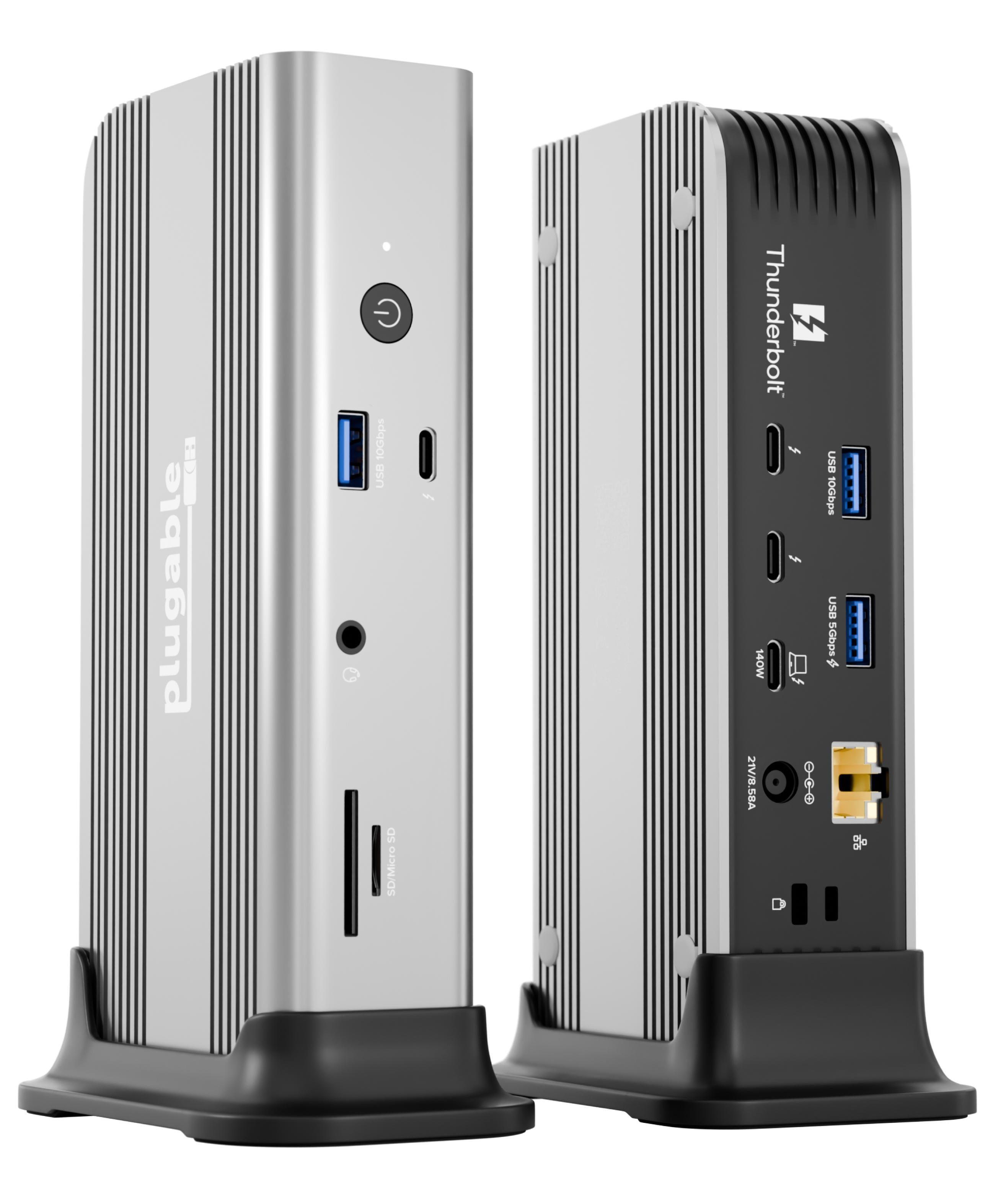
Connection Thunderbolt 5
Displays Up to 4
Power 140W PD
Driver Native
This page contains affiliate links. We may earn a commission at no extra cost to you. Read our affiliate disclosure.
 By Adrian Cel
The UGREEN Revodok Maxidok 17-in-1 is UGREEN's flagship Thunderbolt 5 dock for 2026. It is a bigger step up than the Revodok Max 213 because it moves to a Thunderbolt 5 host connection, adds an internal M.2 NVMe PCIe 4.0 x4 SSD slot, raises host charging to 140W, and expands the port set to 17 connections. The official UGREEN page lists two downstream Thunderbolt 5 ports, one DisplayPort output, three 10Gbps USB-C ports, three 10Gbps USB-A ports, 2.5GbE, UHS-II SD and microSD readers, three 3.5mm audio jacks, and the internal SSD bay. UGREEN and Amazon both list the dock at $499.99, with early sale prices around $389.99. The included power supply is rated at 240W, which leaves room for 140W USB-C PD 3.1 laptop charging plus 60W shared across two front USB-C ports. Display support depends heavily on the host. With Thunderbolt 5, UGREEN advertises single 8K@60Hz, dual 6K@60Hz, and extended triple-display setups. Windows Central measured the practical top end as triple 4K@144Hz or dual 8K@60Hz on a Thunderbolt 5 Windows laptop, while Macworld notes that Mac limits depend on the exact Pro or Max chip. This is not a DisplayLink dock, so base Apple Silicon Macs still follow Apple's native external-display limits.
Workaround: Use DisplayPort monitors, USB-C displays, or a rated DisplayPort/USB-C to HDMI adapter.
Workaround: For 10GbE networks, use a Thunderbolt 5 or USB4 10GbE adapter, or compare the CalDigit TS5 Plus.
Workaround: Use a Thunderbolt 5 laptop for triple 4K high-refresh setups. Thunderbolt 4 and USB4 hosts should expect reduced display bandwidth.
Workaround: Use the front USB-C charging ports for higher-power accessories, or charge larger devices from their own adapters.
| General | |
| Manufacturer | UGREEN |
| Model | U716 |
| Release Date | 2026-03 |
| MSRP | $499.99 |
| Connectivity | |
| Host Connection | Thunderbolt 5 |
| Max Data Rate | 80 Gbps |
| Driver Required | No (native) |
| Display Output | |
| Max Displays | 3 |
| 1x Display | 7680x4320 @ 60Hz (Single 8K@60Hz via Thunderbolt 5 or DisplayPort 2.1 on compatible hosts.) |
| 2x Display | 5120x2880 @ 60Hz (UGREEN advertises dual 6K@60Hz. Schema uses the closest supported enum while the note records the official 6K claim.) |
| 3x Display | 3840x2160 @ 144Hz (Windows Central reports triple 4K@144Hz with a Thunderbolt 5 host. UGREEN says extended triple displays require a Thunderbolt 5 laptop or computer.) |
| 2x Display | 2560x1440 @ 120Hz (Windows Central reports Thunderbolt 4 / USB4 fallback around dual 2K@120Hz.) |
| Ports (11+ total) | |
| USB-C 4.0 | 2x (15W) |
| USB-C 3.2 | 2x (60W) |
| USB-C 3.2 | 1x (7.5W) |
| USB-A 3.2 | 3x (7.5W) |
| Thunderbolt 5 | 2x |
| DisplayPort 2.1 | 1x |
| Ethernet (RJ45) | 1x 1 Gbps / 2.5 Gbps |
| Audio (3.5mm-combo) | 1x |
| Audio (3.5mm-headphone) | 1x |
| Audio (3.5mm-microphone) | 1x |
| SD Card Reader | 1x |
| microSD Card Reader | 1x |
| Power | |
| Power Input | DC-barrel |
| Laptop Charging | Up to 140W |
Best feature coverage with Thunderbolt 5 hosts, including high-refresh triple-display modes. Thunderbolt 4 and USB4 hosts work with reduced display bandwidth.
Works as a native Thunderbolt dock. Multiple displays depend on the Mac chip. Pro, Max, and Ultra chips support more external displays than base Apple Silicon.
No proprietary dock driver is required, but Thunderbolt authorization, PCIe tunneling, and multi-display behavior vary by distribution and hardware.
Limited native external-display count
Reduced display modes compared with Thunderbolt 5
No native HDMI output
Excellent
The UGREEN Maxidok 17-in-1 is one of the more convincing Thunderbolt 5 docks because it does more than add faster upstream bandwidth. The 140W host charging suits larger MacBook Pro and workstation laptops better than most Thunderbolt 4 docks, the built-in M.2 slot can turn the dock into fast desk storage, and the port mix covers media cards, Ethernet, audio, USB-A, USB-C, DisplayPort, and Thunderbolt accessories without leaning too hard on adapters. Reviewers were broadly positive: Windows Central liked the 15 downstream ports, M.2 slot, UHS-II card readers, power button, and display performance; Macworld called out the compact case, 240W power delivery, SSD slot, and broad port set; Android Central praised the port count and active cooling. The trade-offs are clear. There is no native HDMI, the 2.5GbE port is slower than the 10GbE port on the CalDigit TS5 Plus, and each downstream Thunderbolt 5 port supplies only 15W. The chassis is horizontal only and uses an active fan, so silent-desk buyers may prefer a passive Thunderbolt 4 dock. It is also overkill if your laptop only has Thunderbolt 4 or USB4, because several headline display modes need Thunderbolt 5. For a Thunderbolt 5 Windows laptop or a recent MacBook Pro with enough display outputs, the Maxidok 17-in-1 is a strong high-end dock at the discounted price. At full MSRP, compare it closely with the CalDigit TS5 Plus before buying.