Connection USB-C
Displays Up to 3
Power 80W PD
Driver Native
This page contains affiliate links. We may earn a commission at no extra cost to you. Read our affiliate disclosure.
 By Adrian Cel
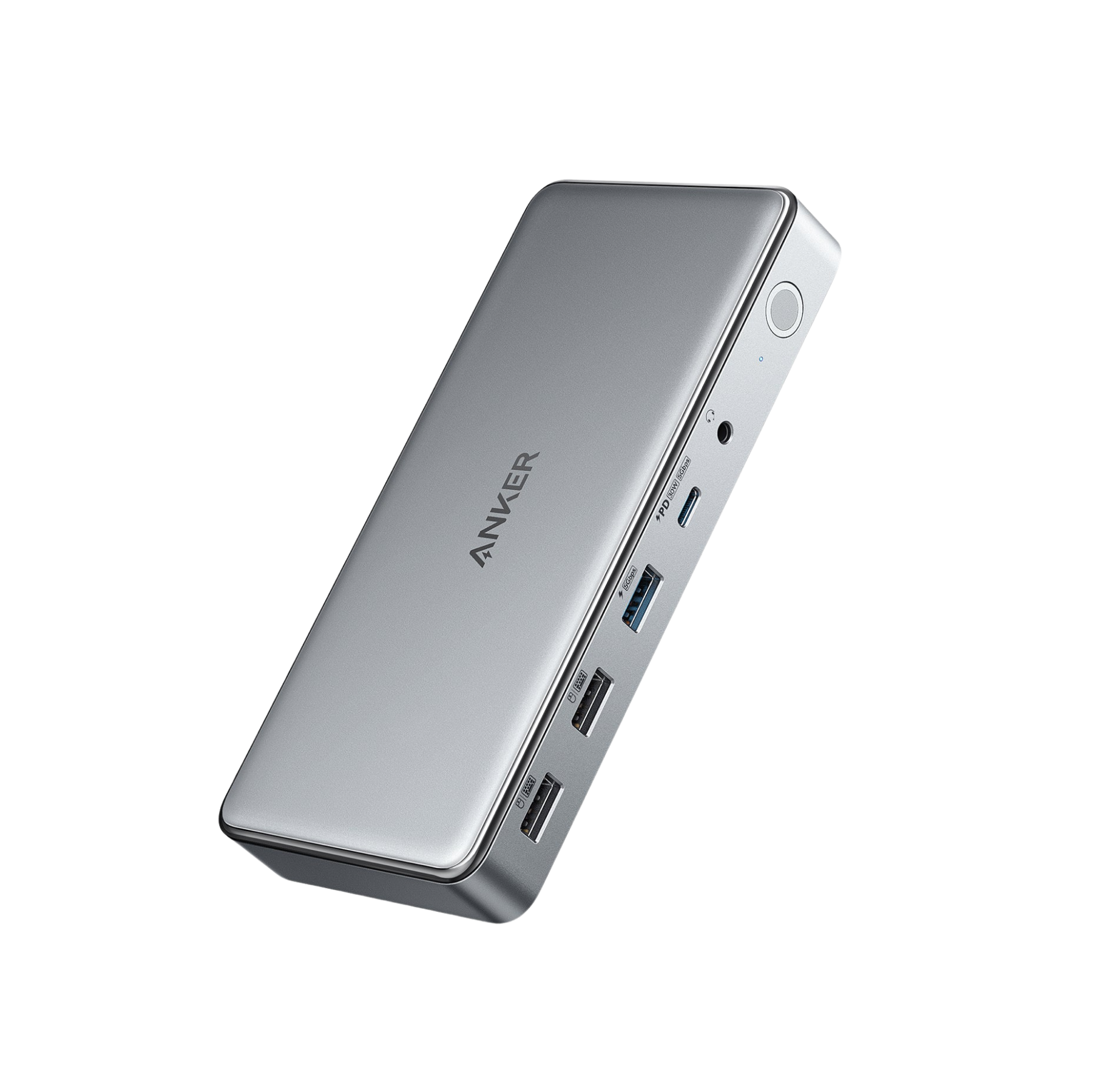
The Anker 565 USB-C Hub (11-in-1), model A8388, is a compact USB-C hub for laptops that need more desk ports without buying a full Thunderbolt dock. It turns one USB-C, USB4, or Thunderbolt host port into HDMI, DisplayPort, Ethernet, audio, SD, microSD, USB-C data, USB-A data, and USB-C Power Delivery input. The best parts are the 10Gbps USB-C data port, the 10Gbps USB-A data port, 85W passthrough charging, Gigabit Ethernet, and both HDMI and DisplayPort video outputs. Anker's official page lists both video outputs at up to 4K@60Hz, but the dual-monitor limit is more modest. Amazon's listing says a DP 1.4 laptop can run two external displays at up to 2K@60Hz, while a DP 1.2 laptop is limited to 1080p@60Hz. macOS can use both external outputs, but both external monitors show the same content instead of acting as two independent extended displays. That makes the 565 a better fit for Windows laptops than for MacBook owners who want a real dual-monitor desktop.
Workaround: Mac users who need separate extended displays should choose a Thunderbolt dock on Pro or Max chips, or a DisplayLink dock when using base Apple Silicon.
Workaround: Use a DP 1.4 capable host for the best dual-display result, or run a single 4K@60Hz display for the cleanest setup.
Workaround: Use the hub's USB data ports for keyboards, mice, storage, and adapters, and charge phones from the laptop or a wall charger.
Workaround: Add a 100W USB-C PD charger if you want the full 85W passthrough charging behavior.
Workaround: Use a capable charger, keep the hub in open air, update graphics drivers, and test with shorter HDMI or DisplayPort cables before blaming the hub.
| General | |
| Manufacturer | Anker |
| Model | A8388 |
| Release Date | 2022-03 |
| MSRP | $69.99 |
| Connectivity | |
| Host Connection | USB-C |
| Max Data Rate | 10 Gbps |
| Driver Required | No (native) |
| Display Output | |
| Max Displays | 2 |
| 1x Display | 3840x2160 @ 60Hz (Single 4K@60Hz through HDMI 2.0 or DisplayPort on a compatible USB-C DP Alt Mode host.) |
| 2x Display | 2560x1440 @ 60Hz (Amazon's listing states dual external displays up to 2K@60Hz with a DP 1.4 laptop, using HDMI and DisplayPort.) |
| 2x Display | 1920x1080 @ 60Hz (Amazon's listing states dual external displays up to 1080p@60Hz with a DP 1.2 laptop. On macOS, both external monitors show identical content rather than two independent extended desktops.) |
| Ports (6+ total) | |
| USB-C 3.2 | 1x |
| USB-A 3.2 | 1x |
| USB-A 2.0 | 2x |
| HDMI 2.0 / 4K@60Hz / HDCP 2.2 | 1x |
| DisplayPort 4K@60Hz | 1x |
| Ethernet (RJ45) | 1x 1 Gbps |
| Audio (3.5mm-combo) | 1x |
| SD Card Reader | 1x |
| microSD Card Reader | 1x |
| Power | |
| Power Input | USB-C |
| Laptop Charging | Up to 85W |
Best fit for independent dual-monitor use. Requires a USB-C, USB4, or Thunderbolt host port with DisplayPort Alt Mode and Power Delivery. Windows 10 and 11 are listed by Anker and Amazon.
Supported for hub functions and external display output, but Amazon states that both external monitors show identical content on macOS.
Amazon lists ChromeOS compatibility when the host laptop has DisplayPort Alt Mode and Power Delivery.
Not supported by Anker
External monitors mirror each other
No video output
USB data ports do not charge devices
Very Good
The Anker 565 is a good middle ground if you want better port variety than a tiny travel adapter but do not need Thunderbolt bandwidth. It has the ports people actually ask for: HDMI, DisplayPort, Ethernet, two fast 10Gbps data ports, card readers, audio, and passthrough charging. Macworld measured strong 10Gbps storage performance from the USB 3.2 ports and liked it as a compact Mac hub, though the review also called out the UHS-I card reader, non-charging USB data ports, and hard-to-read labels. For Windows users, the bigger caution is display bandwidth. One 4K@60Hz display is straightforward. Two displays depend on the host's DisplayPort version, and the official Amazon copy caps dual external output at 2K@60Hz on DP 1.4 laptops or 1080p@60Hz on DP 1.2 laptops. Amazon feedback is solid at 4.3 stars across more than 2,500 ratings, but the recurring complaints are worth taking seriously: intermittent display flicker, ports dropping connection, heat, and power delivery that may feel weak if you pair the hub with an undersized charger. Buy it for a Windows or Mac laptop when you need a portable 11-port USB-C hub with Ethernet and dual video outputs. Skip it if you need two independent external Mac displays, charging from the USB data ports, or a dock that can run high-resolution monitors and fast storage without bandwidth trade-offs.