Connection USB-C
Displays Up to 2
Power 85W PD
Driver Silicon Motion
This page contains affiliate links. We may earn a commission at no extra cost to you. Read our affiliate disclosure.
 By Adrian Cel
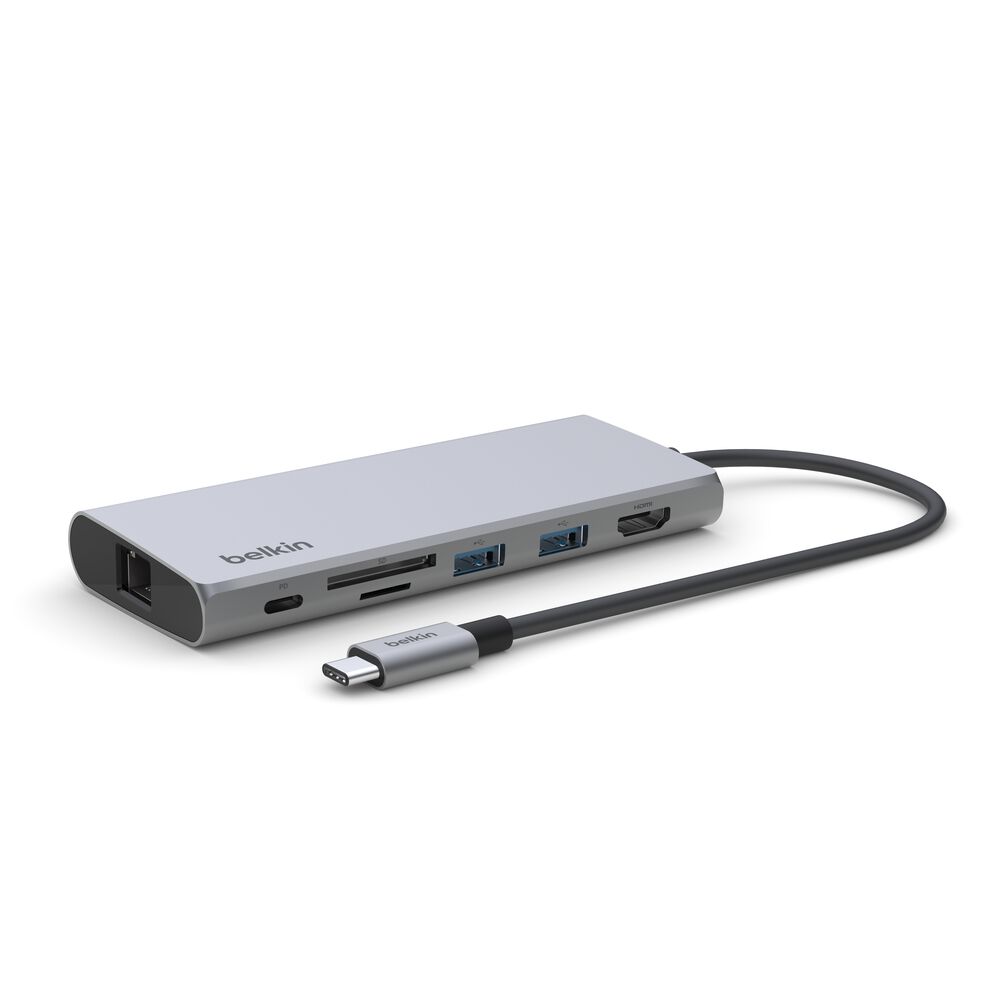
The Belkin INC014 is Belkin's stand-style USB-C dock for people who need more monitor outputs than a compact travel hub can offer, but do not want a Thunderbolt desktop brick. It connects over USB-C at up to 10Gbps, uses Silicon Motion display technology, and gives you two HDMI outputs, VGA, USB-A, USB-C data, SD 4.0, microSD 3.0, 2.5Gb Ethernet, audio, and a USB-C Power Delivery input. Belkin advertises support for up to three monitors, with one display up to 4K at 60Hz, a second HDMI output commonly listed at 4K at 30Hz, and VGA for a lower-resolution legacy screen. The dock also doubles as a wedge-shaped laptop stand, with a centered 13.7-inch tethered USB-C cable that is much easier to place than the very short cables on many travel hubs. Power is pass-through rather than built in: use a 100W USB-C charger and the laptop can receive up to 85W because the dock reserves about 15W for itself. At $149.99 direct from Belkin and with ASIN B0CGQ4GVSC on Amazon, the INC014 sits between Belkin's small INC015 dual-display hub and larger powered desktop docks.
Workaround: Use a 100W USB-C PD charger if you want the maximum 85W host charging output. A 65W charger leaves roughly 50W for the laptop.
Workaround: Use the VGA port only for a low-priority office display, or choose a Thunderbolt or DisplayLink dock with three digital outputs.
Workaround: Install Belkin's Silicon Motion driver before relying on the dock for multi-monitor work.
Workaround: Choose a Thunderbolt 4 or Thunderbolt 5 dock if you need 40Gbps or 80Gbps bandwidth, downstream Thunderbolt ports, or native Thunderbolt display chains.
Workaround: Use this as a semi-permanent desk dock rather than a pocket hub.
| General | |
| Manufacturer | Belkin |
| Model | INC014btSGY |
| MSRP | $149.99 |
| Connectivity | |
| Host Connection | USB-C |
| Max Data Rate | 10 Gbps |
| Driver Required | Silicon Motion |
| Display Output | |
| Max Displays | 3 |
| 1x Display | 3840x2160 @ 60Hz (Belkin advertises one monitor up to 4K@60Hz. Use the main HDMI output for the highest-resolution display.) |
| 2x Display | 3840x2160 @ 60Hz (Dual HDMI use is commonly listed as one 4K@60Hz display plus one 4K@30Hz display. Actual output depends on host support and Silicon Motion driver behavior.) |
| 3x Display | 1920x1080 @ 60Hz (Triple-monitor support uses the two HDMI ports plus VGA. Belkin advertises up to three monitors, but VGA is a legacy output and should be treated as a 1080p-class third screen.) |
| Ports (7+ total) | |
| USB-A 3.2 | 2x |
| USB-C 3.2 | 1x |
| USB-C 3.2 | 1x (100W) |
| HDMI 2.0 / 1.4 | 2x |
| VGA | 1x |
| Ethernet (RJ45) | 1x 2.5 Gbps |
| Audio (3.5mm-combo) | 1x |
| SD Card Reader | 1x |
| microSD Card Reader | 1x |
| Power | |
| Power Input | USB-C |
| Laptop Charging | Up to 85W |
Belkin lists Windows support. Install the Silicon Motion driver if the display outputs do not appear as expected.
Belkin lists Mac support. Silicon Motion can work around some plain-MST limitations, but driver installation and Apple Silicon display limits still need to be checked before purchase.
Belkin lists Chrome OS and Chromebook support. Display count and resolution depend on the Chromebook model and available driver or firmware support.
Belkin lists USB-C tablets and smartphones as compatible device classes, but video output, charging, Ethernet, and peripheral support depend on the device.
The third display output is VGA
Pass-through charging tops out below the charger wattage
Silicon Motion display support may be limited
USB-C dock bandwidth and ports are limiting
Very Good
The Belkin INC014 is a practical pick when you want a branded USB-C dock that handles mixed monitors, wired networking, card readers, and laptop charging without needing Thunderbolt. Its strongest points are the Silicon Motion display path, 2.5Gb Ethernet, 10Gbps USB data, SD 4.0 card reader, and sturdy stand format. CGMagazine liked the solid metal construction, faster transfer speeds, and longer cable compared with Belkin's older 11-in-1 Multiport Dock, while retail review snippets are generally positive about desk setup and build quality. The compromises are just as important. There is no charger in the box, so full charging requires your own 100W USB-C power supply. The third monitor path is VGA, not DisplayPort or another HDMI, and that makes the triple-display claim more useful for office dashboards than for modern creative or coding setups. Silicon Motion can be helpful on Macs compared with plain MST hubs, but it still means driver and compatibility checks matter. If you need a compact desk dock with two modern digital monitors, one legacy display option, Ethernet, cards, and pass-through power, the INC014 is a good value. If you want all-modern video outputs, included power, or driverless Thunderbolt behavior, step up to a native Thunderbolt dock.